

Slack deployments control how Dosu responds to messages in connected channels and direct messages. You can configure reply behavior and custom response guidelines.
To configure a Slack deployment, go to Connections > Channels and select the deployment you want to configure.
Deployment Types#
Dosu supports two types of Slack deployments:
Channel Deployments: Can be set up in two ways:
- Interactive Setup: If you've already installed the Dosu app in your Slack workspace, simply mention @... in any channel to add it. You'll be prompted to select which data sources Dosu can reference when replying in that channel.
- Dashboard Setup: Configure through the Connections > Channels dashboard for more advanced configuration options.
Both methods allow you to customize reply mode, response guidelines, and connected data sources. Channel deployments can be paused or modified at any time.
Direct Message Deployments: Slack DM support is fully functional. DM deployments are created automatically when you send Dosu a direct message for the first time.
To use Dosu via DM, you must have a linked Dosu account. If you don't have an account or haven't linked your Slack user to Dosu yet, you'll receive a prompt message asking you to create or link your account at app.dosu.dev before you can continue.
After your account is linked and the DM deployment is created, you'll see an ephemeral data source selection UI where you can choose which data sources Dosu should use when answering your questions.
DM deployments always use auto-reply mode (with no review required) and support all Dosu capabilities including documentation search, conversations, ticket creation, and code suggestions.
You can manage data sources at any time using the /dosu data-sources slash command in the DM.
Note: DM deployments are treated as implicit deployments and won't appear in the regular deployment list in the Connections dashboard.
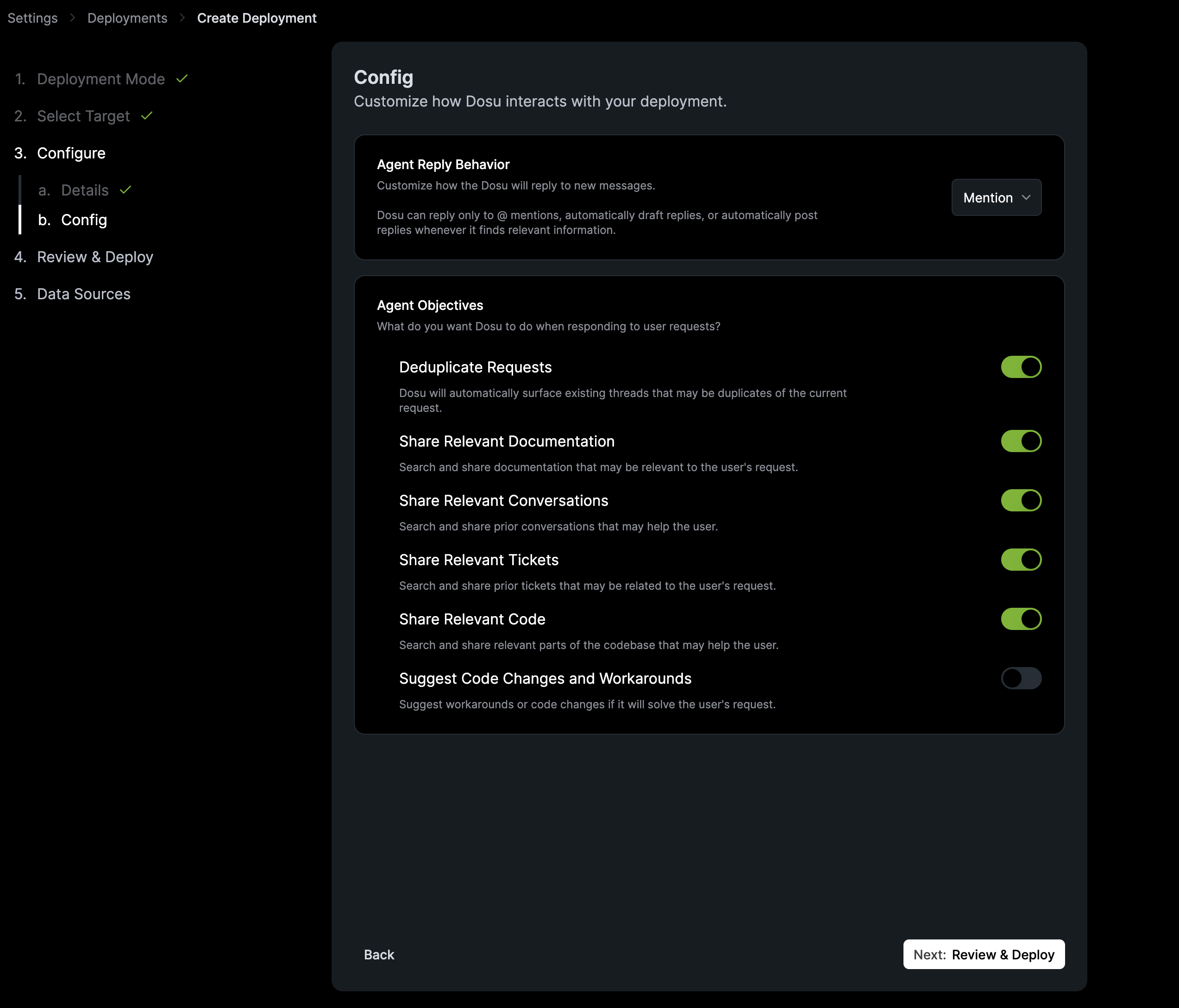
Reply Mode#
Reply mode controls when Dosu responds to messages in channel deployments:
Mention: Dosu only responds when someone mentions @dosu. This is the default for new channel deployments.
Auto Draft: Dosu automatically generates responses to new messages, but saves them as drafts for review before posting. Use this to verify response quality before enabling fully automatic replies.
Auto Reply: Dosu automatically responds to new messages without requiring review.
Note: Direct message deployments always use auto-reply mode, as users expect immediate responses in DMs.
Response Guidelines#
Use response guidelines to customize how Dosu writes responses. You can specify tone, formatting preferences, or content requirements specific to your team or project.
Find this setting under Response Guidelines in the deployment settings.
Connected Data Sources#
Connect data sources to give Dosu context for answering questions. Dosu searches all connected data sources when generating responses.
You can connect any data source in your organization, including GitHub repositories, other Slack channels, Confluence, Notion, and web documentation.
Pausing a Deployment#
To temporarily disable Dosu in a channel without deleting the deployment, use the Pause button in the Danger Zone section of the deployment settings. Paused deployments can be reactivated at any time.
