

Dosu's auto-labeling automatically applies labels to new GitHub issues and pull requests, reducing manual triage and providing structured context for Dosu's other features.

Approach#
Dosu selects relevant labels for new issues and pull requests by analyzing:
- Your repository's label taxonomy: The names, descriptions, and structure of existing labels
- Historical labeling patterns: How similar issues have been labeled in the past
- Content analysis: The title and description of the new issue or PR
When you correct Dosu by adding or removing labels, those corrections inform future auto-labeling with similar content. Dosu uses your labeling history as examples, so consistent labeling over time improves accuracy.
Enabling Auto-Labeling#
- Connect your GitHub repository to Dosu if not already connected.
- Navigate to Settings > Deployments in the Dosu dashboard.
- If a Deployment doesn't already exist, create one by following the instructions in Key Concepts: Deployment.
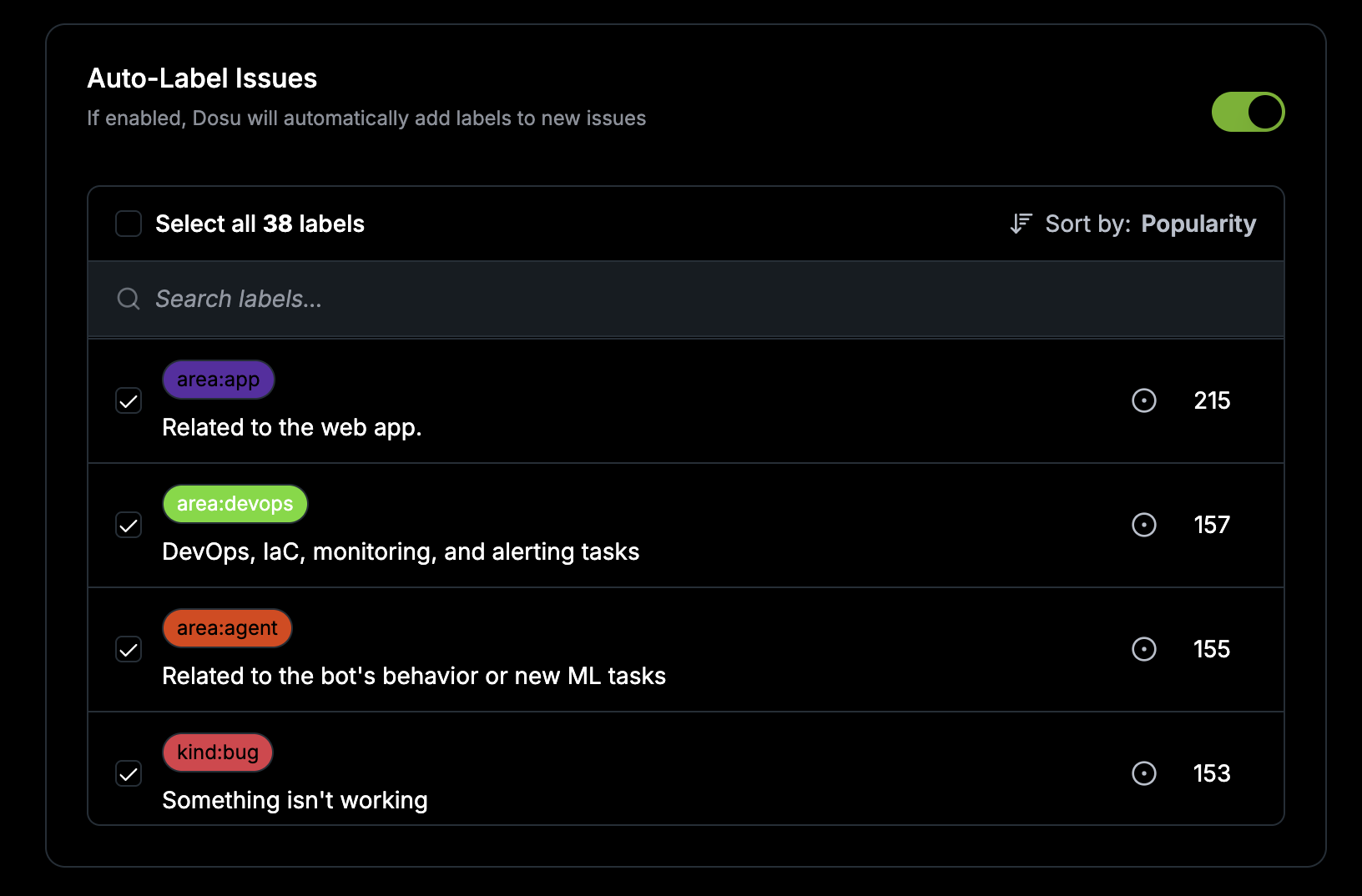
- Go to Issues and toggle Auto-Label Issues.
- Select which labels Dosu should apply automatically.
Recommended Rollout#
-
Start with a focused label set: Begin by selecting only your clearest, most unambiguous labels (e.g.,
bug,docs,question). A smaller scope improves initial accuracy. -
Monitor and correct early: Review Dosu's predictions on new issues during the first few weeks. Add missing labels and remove incorrect ones. These corrections help Dosu calibrate to your project's patterns.
-
Expand gradually: Once accuracy is consistent on your initial labels, add more labels to the auto-apply list.
Reviewing and Correcting Labels#
- To accept a prediction: leave the label as-is.
- To reject a prediction: remove the label from the issue or PR.
- To add a missing label: apply it manually as you normally would.
Dosu uses your labeling history as reference examples. The more consistently you label, the more accurately Dosu predicts labels for similar content.
Best Practices#
-
Use clear, single-purpose label names: Labels like
bug,docs,area:frontendare better than vague labels likeneeds-review. -
Use consistent prefixes for related labels: Prefixes like
kind:bug,kind:featureorarea:docs,area:apihelps Dosu understand label relationships and choose between similar options. -
Avoid duplicate or overlapping labels: If you have both
documentationanddocs, merge them. Overlapping labels reduce auto-label accuracy. -
Correct labels consistently: Inconsistent corrections (e.g., sometimes
bugandtype:bugfor the same issue type) can confuse Dosu.
Usage In The Wild#
Dosu supports auto-labeling for GitHub issues and pull requests. Some public examples are:
- https://github.com/apache/superset/issues
- https://github.com/apache/airflow/issues
- https://github.com/langchain-ai/langchain/pulls
- https://github.com/langgenius/dify/pulls
For detailed configuration options, see the Auto-label Issues page.
