

Quick Start to CSS in JS#
What is CSS in JS#
In concept, CSS in JS is similar to JSX. Simply put, it means writing CSS-related styles in a JS environment. By leveraging the dynamism of JS itself, it can achieve very flexible styling capabilities. This article will not provide basic introductions. If you lack prior knowledge of CSS in JS, you can read some related articles in the community:
If there are better learning materials, feel free to submit a PR.
Common Writing Styles#
Let's take a look at the four common ways of writing styles in the world of CSS in JS. We will not evaluate these writing styles, but by understanding some mainstream solutions, you will have a better sense for the subsequent introductions.
Method 1: styled#
styled was pioneered by styled-components, and the syntax is as follows:
import styled from 'styled-component';
import { List } from 'xxx';

// Create a styled component
const StyledList = styled(List)`
  border: 1px solid ${(p) => p.theme.colorPrimary};
  border-radius: 2px;
  box-shadow: 0 8px 20px ${(p) => p.theme.colorShadow};
`;

const App: FC = ({ list }) => {
  return (
    // Reference the component
    <StyledList dataSource={list} />
  );
};
Subsequently, emotion also followed suit with @emotion/styled, so most mainstream CSS in JS libraries support this syntax. We have tested that switching between styled-component and @emotion/react using the styled syntax has no impact on the styles, and the performance difference is negligible.
However, it is worth noting that some syntax supported by styled-components (e.g., component selectors) require configuration of a Babel plugin in @emotion/react to be supported. Therefore, the package size of styled-components is significantly larger compared to @emotion/react.
Method 2: css with className#
The second usage method was proposed by emotion, with the core being the css method.
import { css } from '@emotion/css';

// Create a class name
const className = css`
  color: #1677ff;
`;
// -> css-abcdef

const App: FC = ({ list }) => {
  return (
    // Reference the class name
    <List dataSource={list} className={className} />
  );
};
It is worth mentioning that the css object not only supports CSS strings, but also supports the object-oriented approach to writing CSS.
import { css } from '@emotion/css';

const stringCls = css`
  color: #1677ff;
  border-radius: 2px;
`;

const objCls = css({
  color: '#1677FF',
  borderRadius: 2,
});

// stringCls and objCls are equivalent -> css-xxx
If you want to achieve the same dynamic effect as styled, you need to place the css within a function to execute and achieve dynamism.
import { css } from '@emotion/css';
import { theme } from 'antd';

const useStyles = () => {
  const { token } = theme.useToken();
  return css`
    border: 1px solid ${token.colorPrimary};
    border-radius: 2px;
    box-shadow: 0 8px 20px ${token.colorShadow};
  `;
};

const App: FC = ({ list }) => {
  const className = useStyles();
  return (
    // Reference the component
    <List dataSource={list} className={className} />
  );
};
Method 3: Using css props in React#
In @emotion/react, an additional method is provided for using css props in React. This is the third method and is also the recommended approach by emotion for use in React.
/** @jsx jsx */
import { theme } from 'antd';

const App: FC = ({ list }) => {
  const { token } = theme.useToken();

  return (
    <List
      dataSource={list}
      // Directly write css props
      css={{
        color: token.colorPrimary,
        borderRadius: 2,
      }}
    />
  );
};
In addition, there are many other creative approaches in other CSS in JS libraries, such as stitches. However, due to space limitations, they will not be listed one by one.
By now, you should have a basic understanding of how to write CSS in JS. The next article will provide a detailed analysis of the strengths and weaknesses of various writing styles, and offer a selection of antd-style.
Engineering Support#
After four or five years of development, most IDEs now have good support for CSS in JS. Therefore, when writing, the experience is basically the same as writing regular CSS.
VS Code#
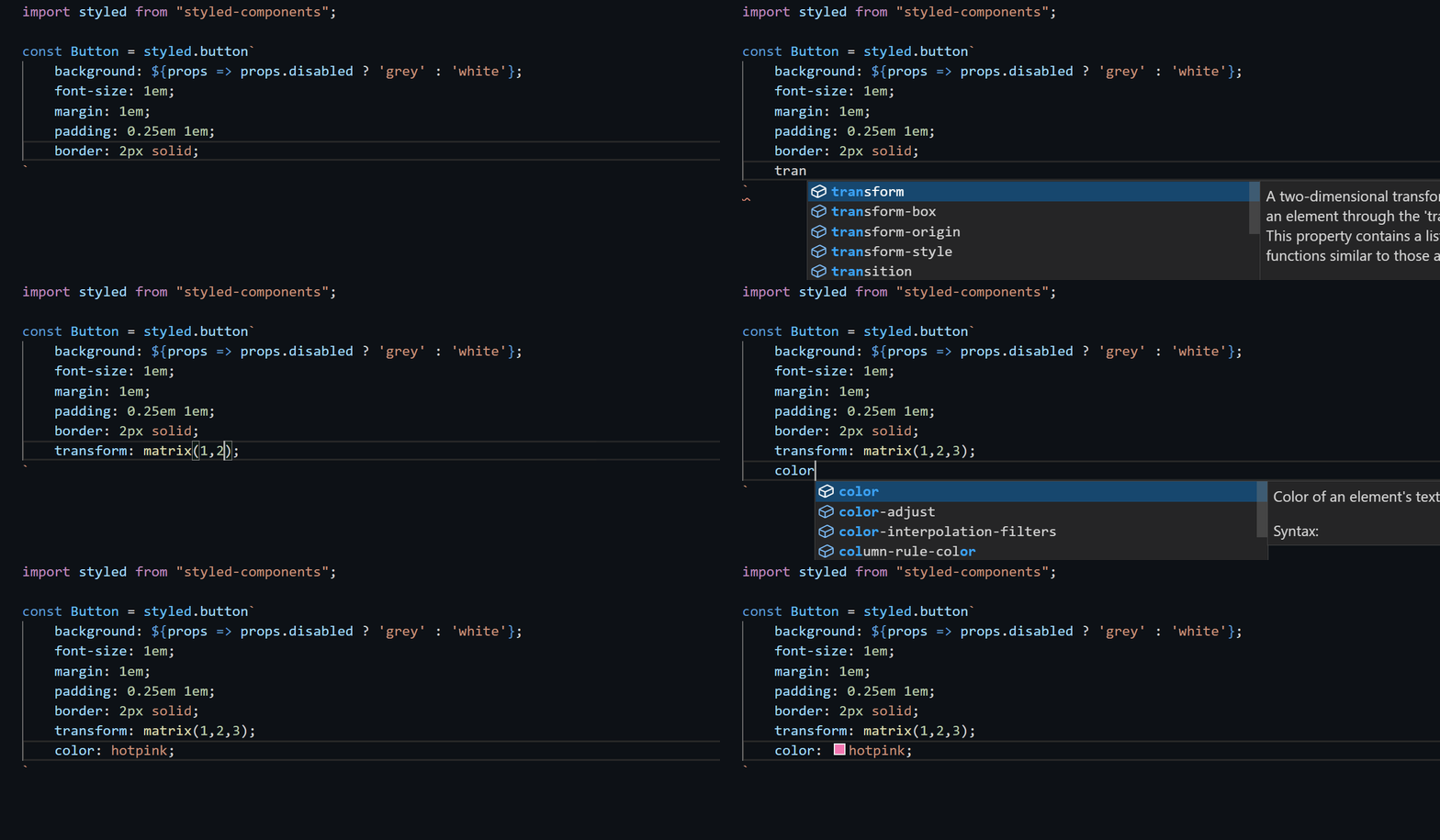
For VS Code users, you need to install the vscode-styled-components plugin, which provides automatic prompts. This plugin works for both styled-component and emotion.
Webstorm#
Webstorm provides default support for CSS in JS. If you are a Webstorm user, you don't need to do anything; all intelligent prompts and code completions for CSS in JS are ready to use out of the box.
Ant Design Token VSCode Plugin#
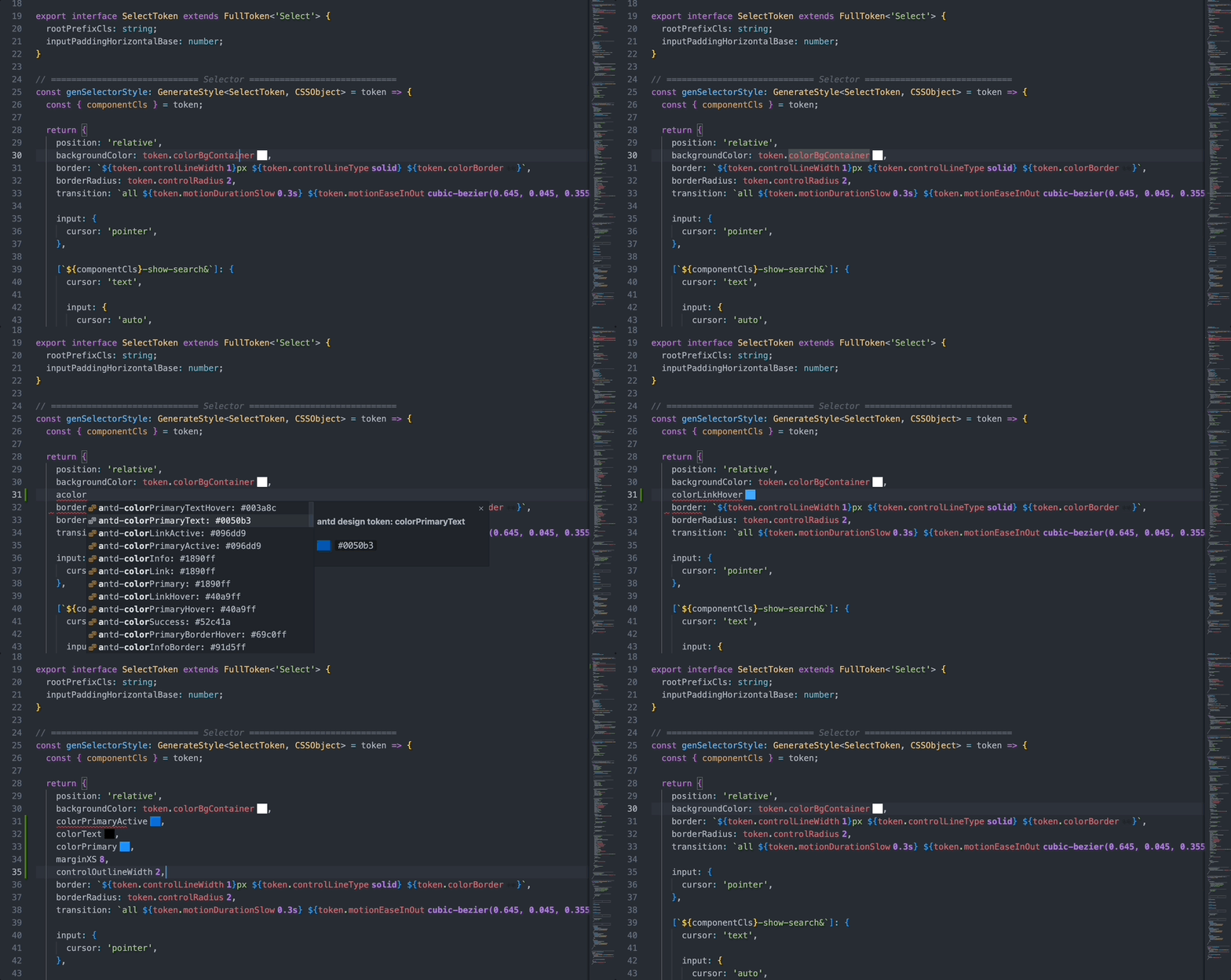
Community member shezhangzhang has developed a VSCode plugin for the Ant Design V5 Token system, which provides token prompts directly in VSCode.
Project link: shezhangzhang/antd-design-token