CSS in JS 快速入门#
什么是 CSS in JS#
在思想上 CSSinJS 和 JSX 差不多,简单来说,就是在 JS 环境中写 CSS 相关的样式。利用 JS 本身的动态性,可以实现非常灵活的样式能力。本文不再做一些基础介绍,如果对 CSS in JS 缺乏前置了解的同学,可以在看一些社区上相关的文章:
如果有更好的学习资料,欢迎提 PR。
常见写法#
我们来看看在 CSS in JS 的世界中,目前总共有的 4 种样式书写方式。我们先不对这些写法做评价,通过了解一下一些主流的方案,你会对后续的介绍更有体感。
方式 1. styled#
styled 由 styled-components 首创,写法如下:
import styled from 'styled-component';
import { List } from 'xxx';

// 创建样式组件
const StyledList = styled(List)`
  border: 1px solid ${(p) => p.theme.colorPrimary};
  border-radius: 2px;
  box-shadow: 0 8px 20px ${(p) => p.theme.colorShadow};
`;

const App: FC = ({ list }) => {
  return (
    // 引用组件
    <StyledList dataSource={list} />
  );
};
后续 emotion 在 @emotion/styled也做了跟进,因此主流 CSSinJS 库基本都支持这种写法。我们实测基于 styled 这种写法,将 styled-component 与 @emotion/react 两个包互切,样式没有任何影响,且性能相差无几。
但需要注意的是,styled-component 中一些默认支持的语法(例如:组件选择器),在 @emotion/react 中需要配置 babel 插件才可支持。因此 styled-components 的包体积会相较于 @emotion/react 大上不少。
方式 2. css 搭配 className#
第二种使用方式则由 emotion 提出,核心是 css 方法。
import { css } from '@emotion/css';

// 创建样式名
const className = css`
  color: #1677ff;
`;
// -> css-abcdef

const App: FC = ({ list }) => {
  return (
    // 引用 classname
    <List dataSource={list} className={className} />
  );
};
这里需要额外提出的一点,css 对象不但支持 css 字符串 ,也支持 css 对象的写法。
import { css } from '@emotion/css';

const stringCls = css`
  color: #1677ff;
  border-radius: 2px;
`;

const objCls = css({
  color: '#1677FF',
  borderRadius: 2,
});

// stringCls 与 objCls 等效 -> css-xxx
如果要使用与 styled 一致的动态效果,需要将 css 放入函数中执行,进而得到动态性。
import { css } from '@emotion/css';
import { theme } from 'antd';

const useStyles = () => {
  const { token } = theme.useToken();
  return css`
    border: 1px solid ${token.colorPrimary};
    border-radius: 2px;
    box-shadow: 0 8px 20px ${token.colorShadow};
  `;
};

const App: FC = ({ list }) => {
  const className = useStyles();
  return (
    // 引用组件
    <List dataSource={list} className={className} />
  );
};
方式 3. 在 React 中使用的 css props#
在 @emotion/react 中还额外提供了 css props 的写法。这是第三种方式,也是 emotion 推荐的在 React 中使用的方式。
/** @jsx jsx */
import { theme } from 'antd';

const App: FC = ({ list }) => {
  const { token } = theme.useToken();

  return (
    <List
      dataSource={list}
      // 直接书写 css props
      css={{
        color: token.colorPrimary,
        borderRadius: 2,
      }}
    />
  );
};
此外,在其他 css in js 库中,还有很多玩的花的方案,例如 stitches ,但限于篇幅,不再一一列举。
到此,大家应该对于如何书写 cssinjs 有了基本的认知。下一篇将会和大家详细分析各种写法的优劣,并给出 antd-style 的选择。
工程化支持#
CSS in JS 技术经过四五年的发展,目前大部分 IDE 都已经对 CSS in JS 有了良好的支持,因此在书写的时候,体验基本和普通 css 不会有太大的差别。
VS Code#
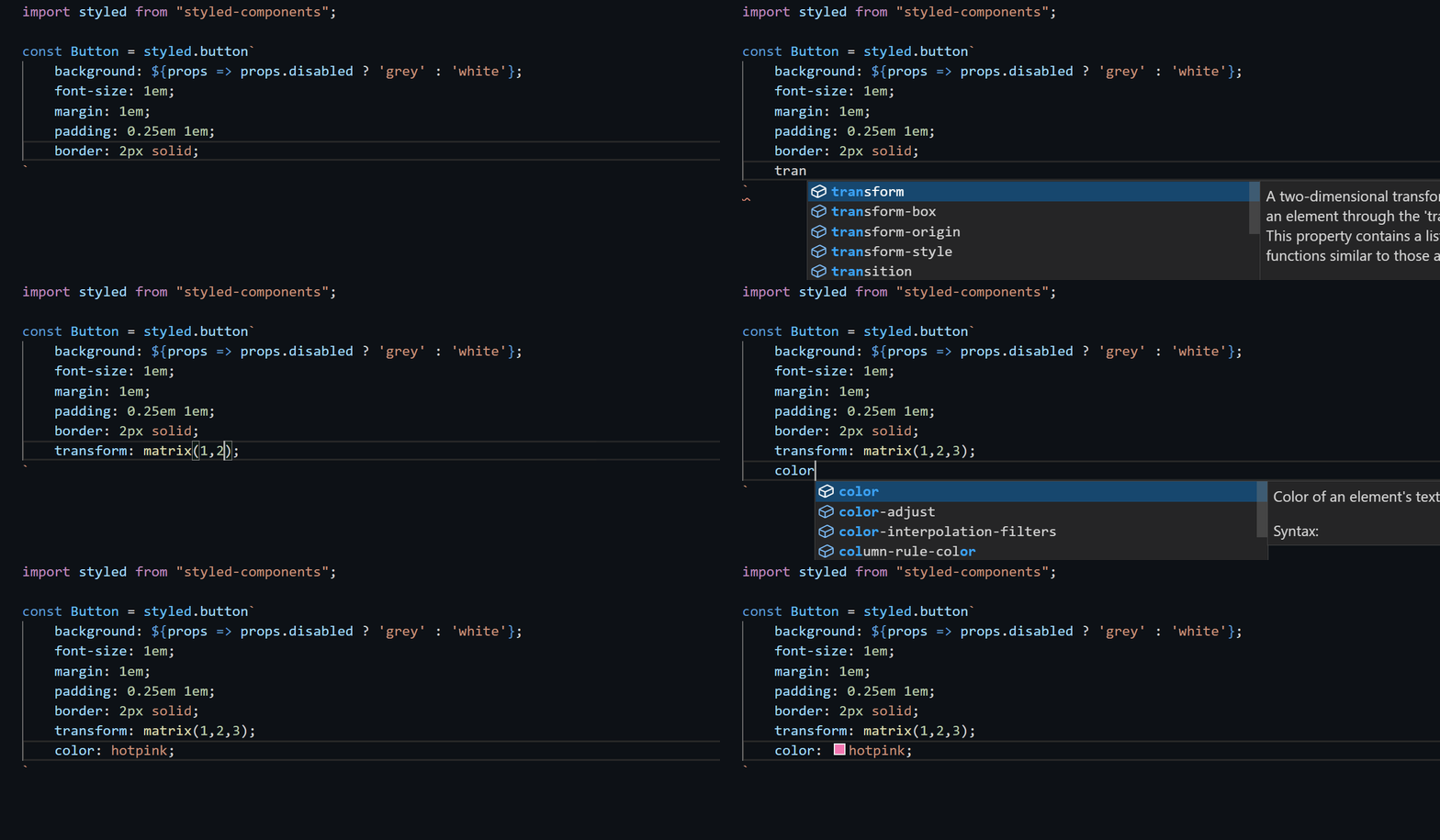
针对 VS Code 的用户,需要安装 vscode-styled-components 插件,可以实现自动提示。这个插件可以同时对 styled-component 和 emotion 生效。
Webstorm#
Webstorm 对 CSS in JS 提供了默认支持。如果你是 Webstorm 用户,什么也不需要做, CSS in JS 的所有智能提示和代码补全开箱即用。
Ant Design Token VSCode 插件#
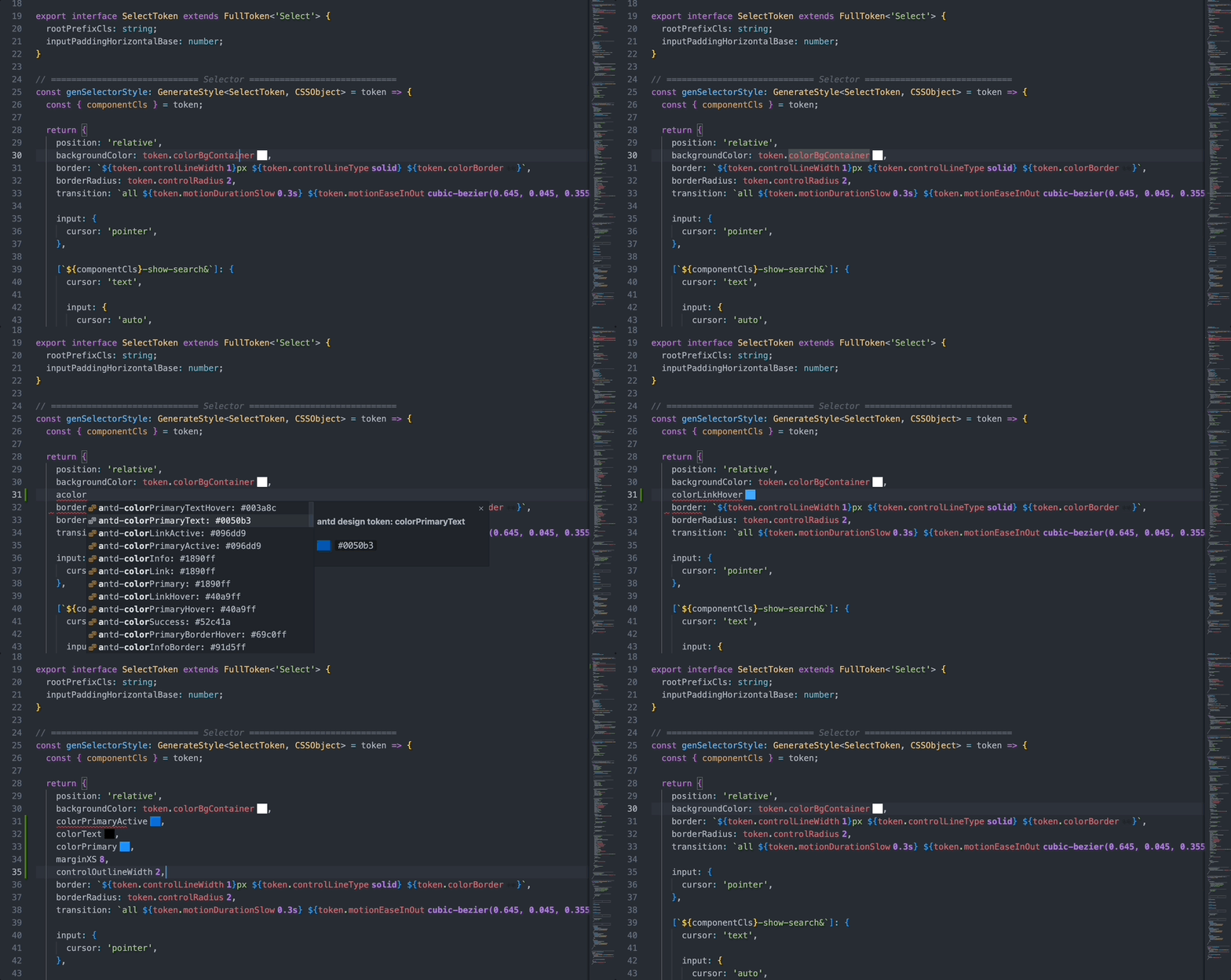
社区同学 shezhangzhang 为 Ant Design V5 的 Token 系统研发了 VSCode 插件,可以在 VSCode 中直接看到 Token 提示。